Custom Google Sheets Solutions & Automation

Have a spreadsheet problem? I can build a solution for it.
I build custom Google Sheets tools that make work faster, easier, and less manual.
That might mean automating a repetitive process, building a dashboard, turning messy data into something useful, creating a custom tracker, improving an existing spreadsheet, or building an entire workflow around Google Sheets.

My name is Corey Bustos, and I have spent more than 10 years working with data and spreadsheets, and I’ve seen firsthand how much time the right spreadsheet can save.
Need something built in Google Sheets? Tell me what you’re trying to do.
Get help with your spreadsheet
Or email me directly at corey.spreadsheetclass@gmail.com
Not sure what you need? That’s fine. Just describe the problem you’re trying to solve.
Client Testimonial
A spreadsheet problem that months of searching couldn’t solve:
“I first asked for help from our in-house IT department to no avail. After several months of trying to figure it out independently and endless hours of online searches, I contacted Corey.”
“He cleaned up and assembled the data into a searchable timetable, which was averaged across ten teams and gave results in a bar chart based on the current survey results.”
– Mike B.
What I Can Build for You
Every project is different, but some of the things I can help with include:
- Custom Google Sheets tools
- Spreadsheet automation
- Dashboards and reporting
- Trackers and management systems
- Google Apps Script automation
- Google Forms + Sheets workflows
- Automated emails and notifications
- Data cleanup and organization
- Complex formulas
- Improving or repairing existing spreadsheets
- Turning repetitive manual processes into automated workflows
- Finding ways to work with data that is difficult to export or organize
You don’t need to know exactly what needs to be built.
If you have a process that takes too long, a spreadsheet that isn’t doing what you need, or an idea that you aren’t sure how to implement, tell me what you’re trying to accomplish and I’ll determine whether I can help.
Tell me about your project
Email me at corey.spreadsheetclass@gmail.com
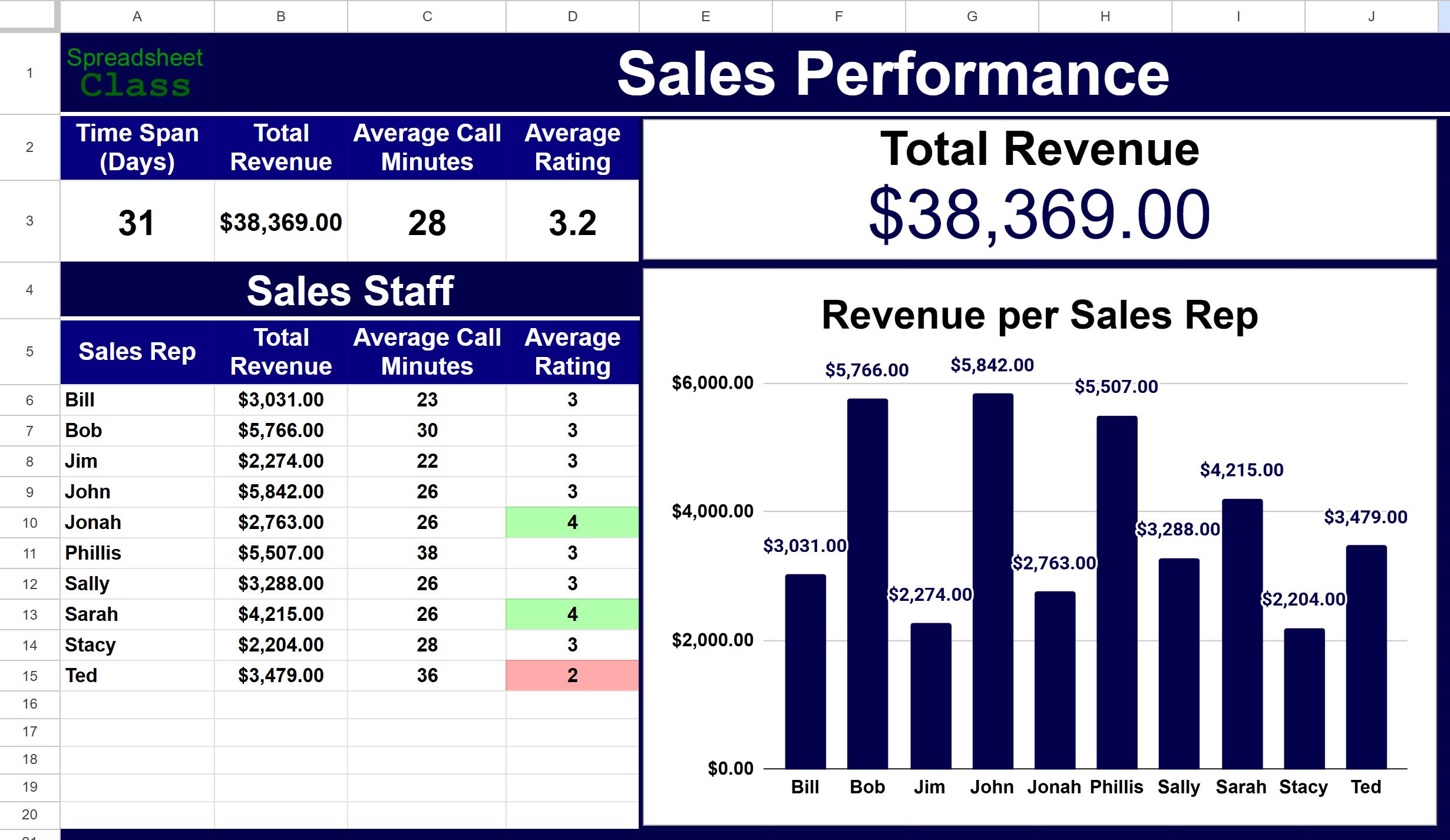
Visual examples of my work
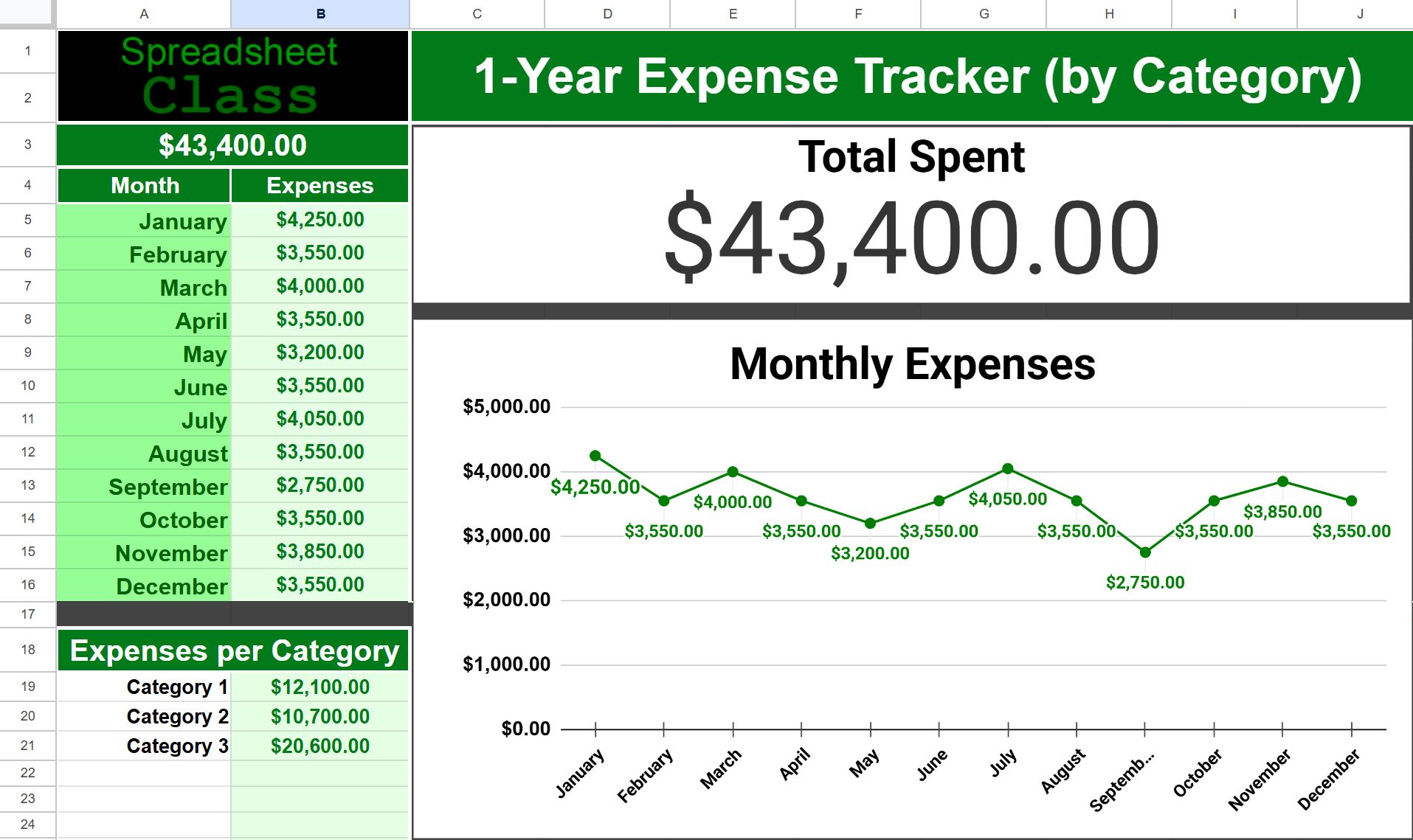
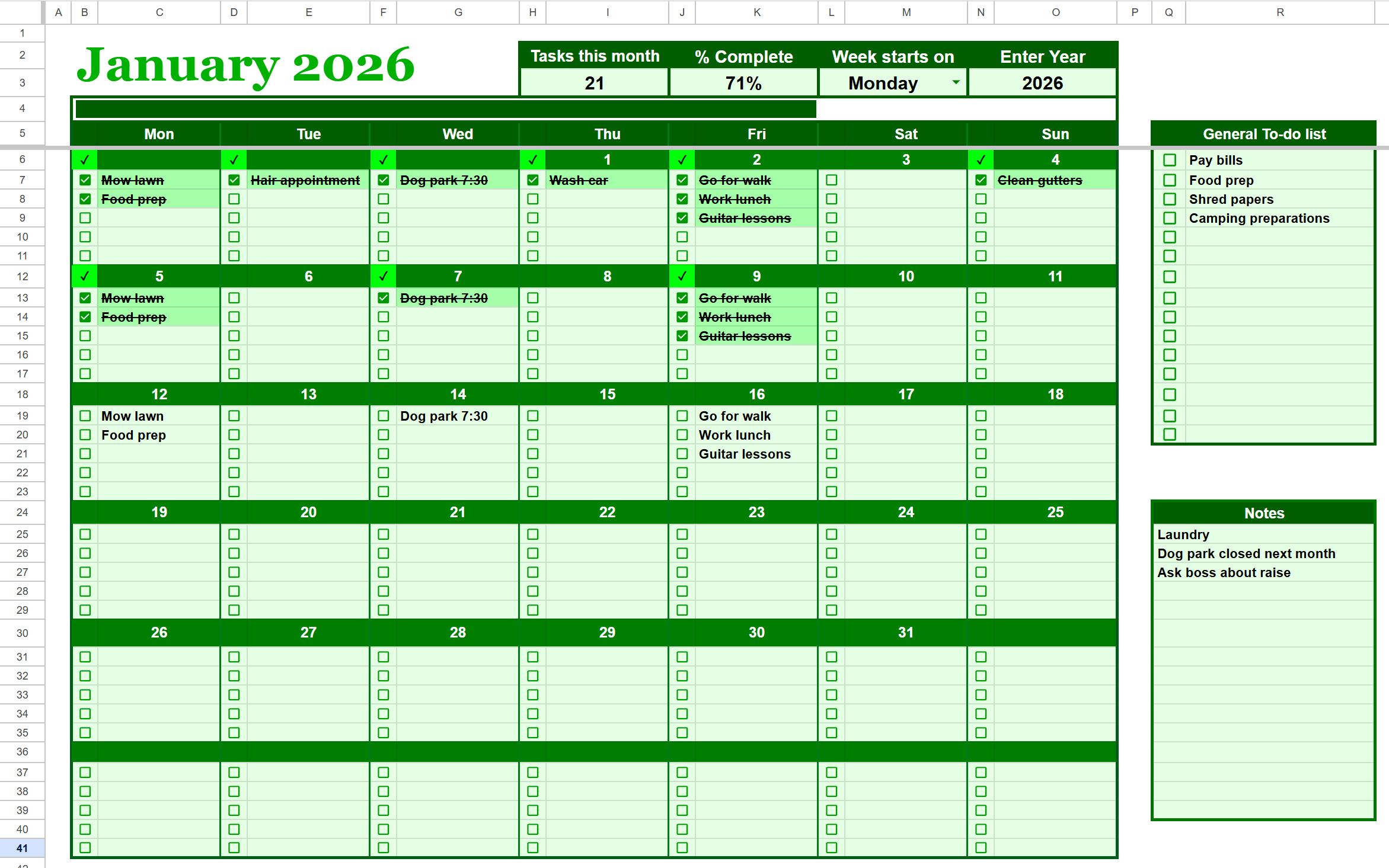
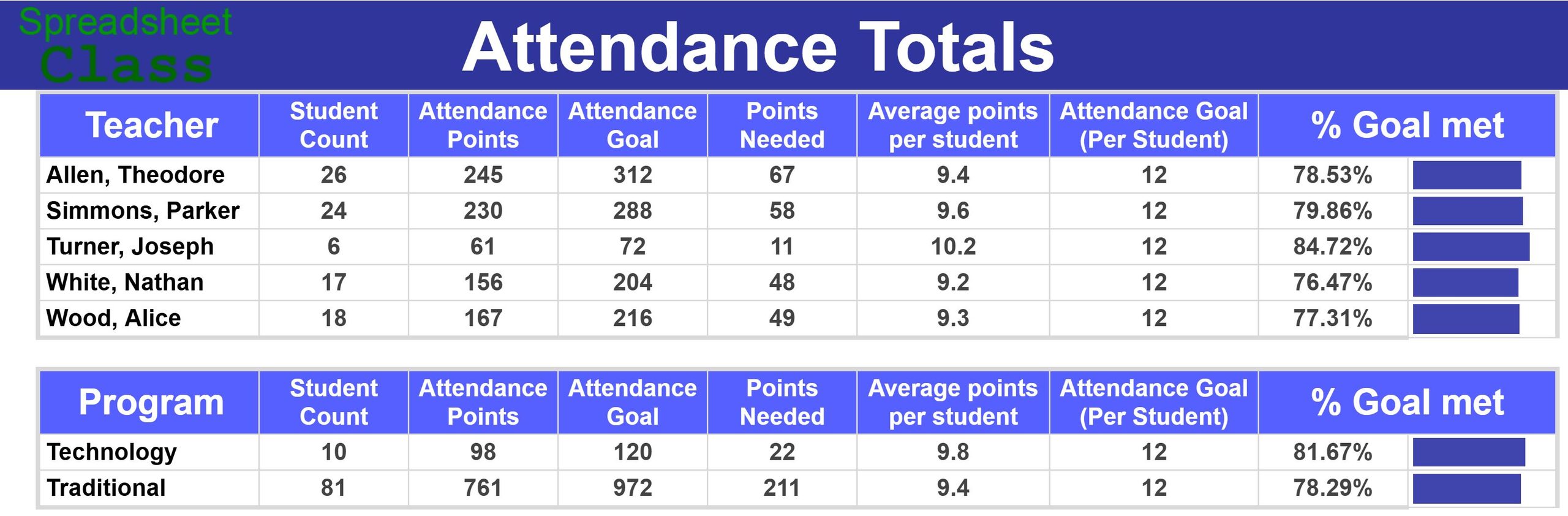
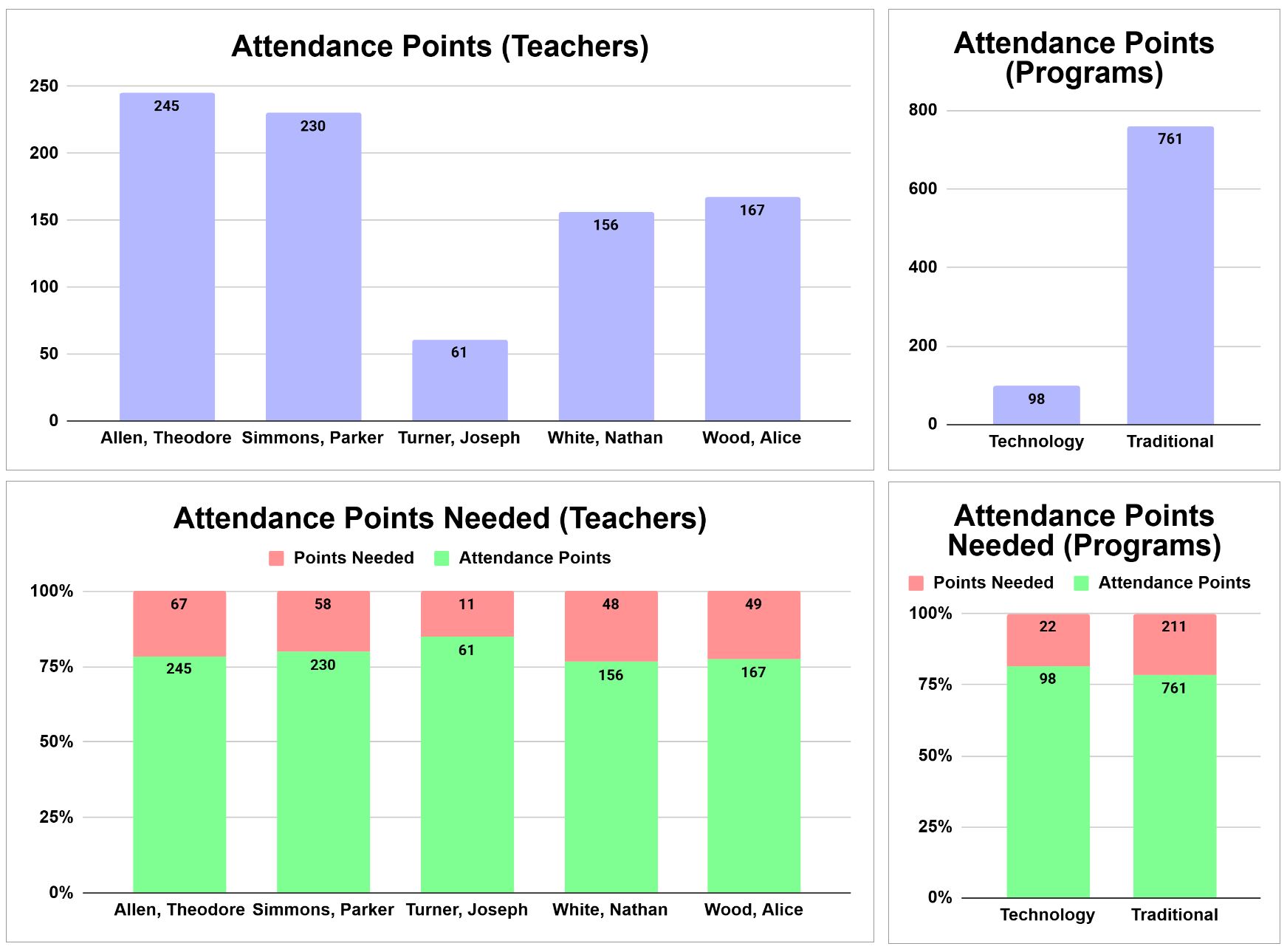
What Can the Right Spreadsheet Actually Do?
Sometimes a spreadsheet is just a spreadsheet.
Other times, it can eliminate hours of repetitive work.
Here are a few examples from systems I’ve built professionally.
Turning a manual student account process into an automated system
At a previous job, a coworker was responsible for creating multiple accounts for incoming students.
Students were arriving faster than he could process them.
The information he needed wasn’t available through a convenient report or export. He had to open a screen, copy individual pieces of information, manipulate the data, create usernames and email addresses according to specific rules, and then keep track of everything manually.
So I built a spreadsheet that approached the problem differently.
Instead of copying individual fields, he could copy the entire page and paste it into the spreadsheet.
The pasted data looked like a mess, but there was a pattern inside that mess.
I built the spreadsheet to identify the information it needed, organize it into the proper fields, and automatically generate the required usernames and email addresses.
Then I used Google Apps Script to add tools for storing the account information for each platform.
The resulting system allowed one person to process the work faster than three people could have handled it manually.
More importantly, he could focus on his actual job instead of staying late dealing with repetitive data entry.
That’s the kind of problem I love solving.
Getting useful data when there is no useful export
One of my specialties is finding ways to work with data that isn’t presented in a convenient format.
Sometimes the information you need is sitting right there on a webpage, but the system doesn’t provide a useful export.
That doesn’t necessarily mean the process has to remain manual.
I’ve built spreadsheet tools that allow an entire webpage to be copied and pasted into Google Sheets, even when the result initially looks like complete garbage.
Once the data is inside the spreadsheet, I can identify the underlying patterns, extract the useful pieces, and turn them into structured data that can drive another process.
I used this approach to build a tool for my own work on X that made part of my workflow roughly 10× faster.
I’ve also used the same fundamental technique professionally to automate processes that otherwise required someone to transfer information from a webpage field by field.
If the data exists, there’s often a way to make it useful.
Turning thousands of clicks into a simple dashboard
At an online school, the registrar was responsible for managing documents for more than 1,000 students.
Part of that process required repeatedly checking which students were missing which documents.
That meant constant clicking, loading screens, checking individual records, and keeping track of what still needed attention.
I found a report containing the underlying document data, but it wasn’t particularly useful in its original form. Each document had its own row, meaning the same student could appear repeatedly throughout a long report.
So I rebuilt the information into a Google Sheets dashboard.
The spreadsheet organized the data by student and provided different views, including an actionable view showing the documents that were still missing.
The registrar could immediately see what required attention without going through thousands of individual clicks.
The tool also became useful to other members of the team who needed to follow up on missing documents or communicate with parents.
One spreadsheet turned a tedious individual process into a useful operational tool for an entire team.
More than just spreadsheets
Over more than a decade of working with educational data, I’ve built tools for a wide range of real-world processes, including:
- Attendance trackers and dashboards
- Student progress dashboards
- Assessment dashboards
- High-stakes tracking related to school funding
- Inventory systems
- Google Forms workflows
- Automated email systems
- Data-entry automation
- Operational dashboards
- Reporting tools
- Data cleanup and transformation
- Custom workflow automation
For example, I’ve built an inventory workflow using Google Forms → Google Sheets → Apps Script → automated email, turning several separate steps into one connected system.
I’ve also built tracking systems used during critical school funding periods that make it easier to identify which students require attention early enough for staff to take action.
The industries and problems may change, but the principle is the same:
Find the repetitive work. Find the data. Build a better system.
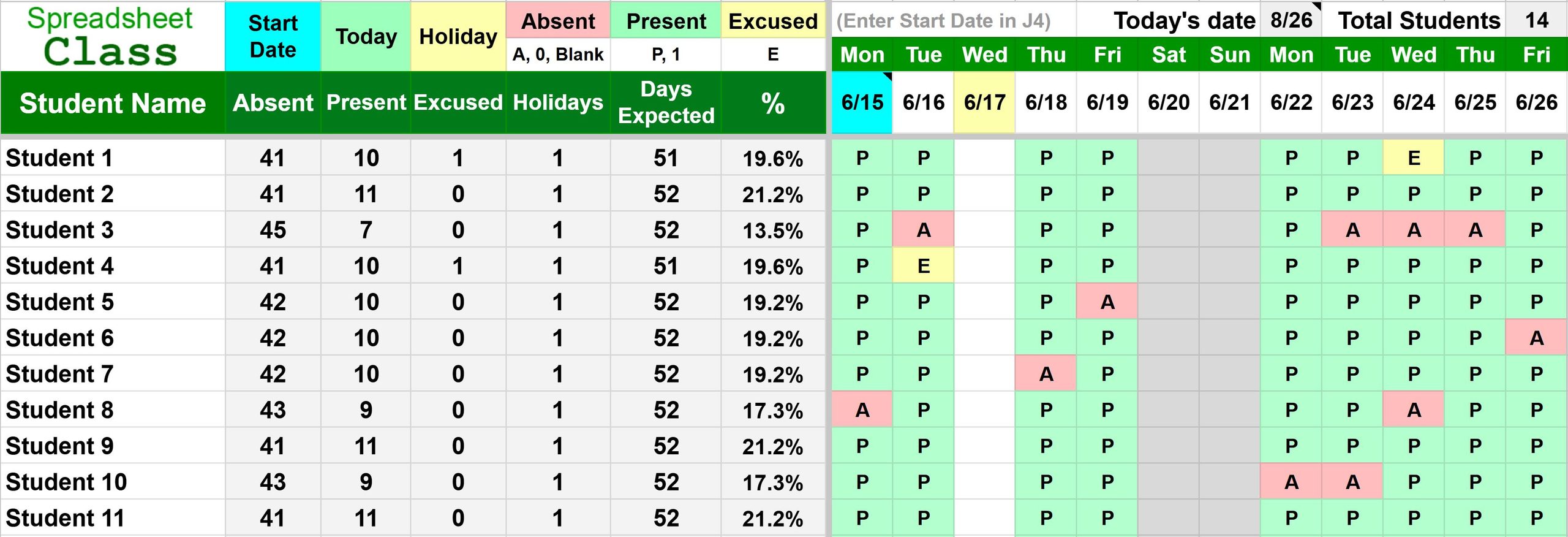
Why Google Sheets?
You don’t always need another expensive piece of software.
Google Sheets can be remarkably powerful when it’s built correctly.
It can act as a dashboard, database interface, calculator, reporting system, workflow tool, automation platform, or a custom application built around the way you actually work.
And because many businesses already use Google Workspace, the solution can often fit directly into tools your team already understands.
The trick is knowing how to make Sheets do more than look like a spreadsheet.
That’s where I come in.
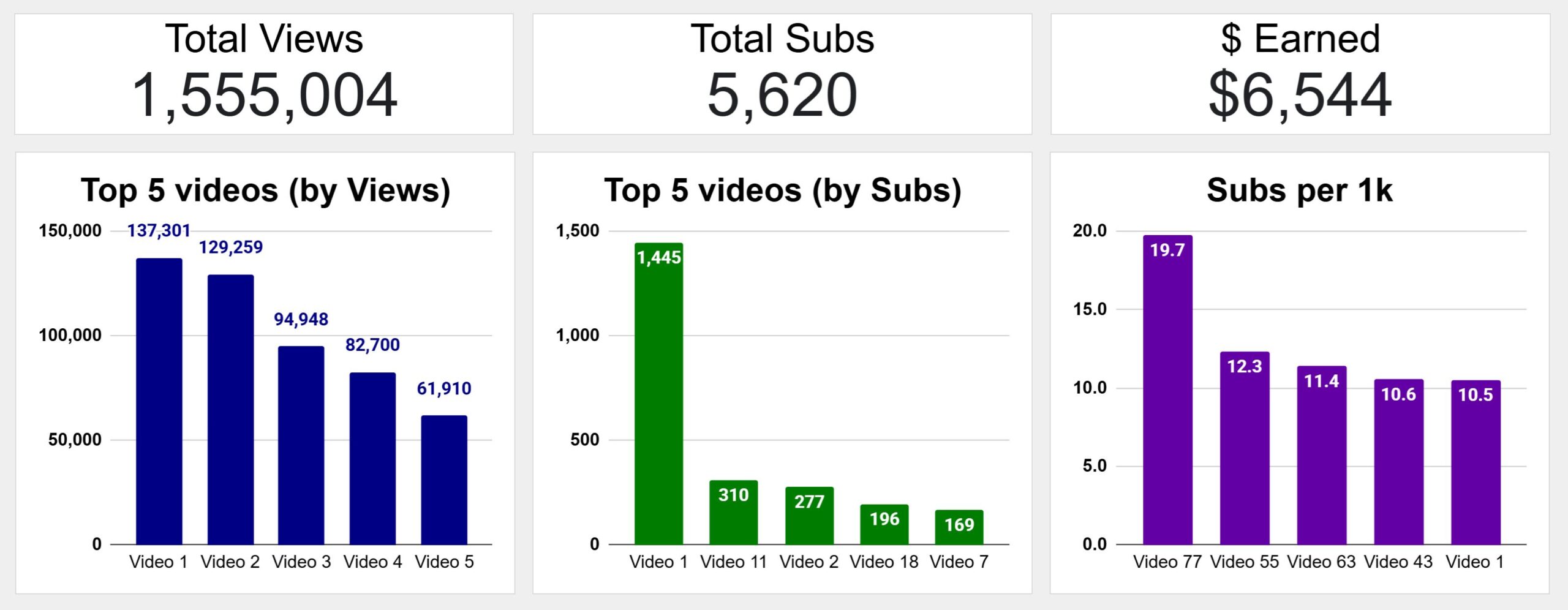
Need Something Built?
You don’t need to figure out the technical solution before contacting me.
Just tell me what’s happening.
Maybe you’re doing something manually that takes forever.
Maybe your current spreadsheet has gotten out of control.
Maybe you have data that needs to be organized.
Maybe you need a dashboard or tracker.
Maybe you’re wondering:
“Can Google Sheets even do this?”
Send me the problem and I’ll take a look.
If I think I can help, I’ll tell you how I’d approach it.
Tell me about your project
Email me at corey.spreadsheetclass@gmail.com
Google Sheets Consulting
I provide custom Google Sheets development, spreadsheet automation, dashboards, workflow tools, Google Apps Script solutions, and help with existing spreadsheet systems.
Whether you already know exactly what you need or just know that there has to be a better way to do this, you’re welcome to reach out.
corey.spreadsheetclass@gmail.com